
The live editor
Make real, on Drupal and WordPress
In short
A change made in a design tool has to be typed in again by hand in the site, and the words can land in the wrong field. Make it real saves your words through the site itself, as you, into the one field or setting that holds exactly those words, and says plainly when it cannot and why.
On this page
Why it saves through the site
The site helper says what made each part of the page, so Wanigan can find the one thing holding exactly the words you replaced (a field of this item in this language, a block’s title, a menu link) and save there. It saves through Drupal’s or WordPress’s own core, as the user you are logged in as in the live view, with a revision where the site keeps one. Nothing is saved without your click.
Styles and tokens are code, so Make it real hands them to an agent as a brief for the theme’s own styles, and never starts a session by itself.
Make an edit real
Open its page, logged in
Words are saved from the page they are on, as the user logged in to the site in the live view. Open the edit’s page there, and log in in the view if you have not.
Choose Make it real
On the edit in Edits (On a Mac, ⇧E; on Windows and Linux, Shift+E), choose Make it real. Or open Make real in the toolbar and choose Make … on this page real, which makes every draft on the page real in turn.
The Make real menu open in the toolbar on a Northstar product page: “Make 1 edit on this page real”, the Verify item, and Open Edits. Picture to come Picture: to come
A screenshot of the real app, with the demo’s data, of what the title above says.
Read the answer
A save says Saved “…” in the site, with the revision if there is one, and the edit becomes In the site, not verified. The page reloads; a save that gave it a new address, such as a new title with Pathauto, takes the view there. Whatever the site could not take stays in Edits, saying why.
The Edits panel after Make it real on the Northstar product title: its words now “in the site, not verified”, with Verify. Current beta · demo 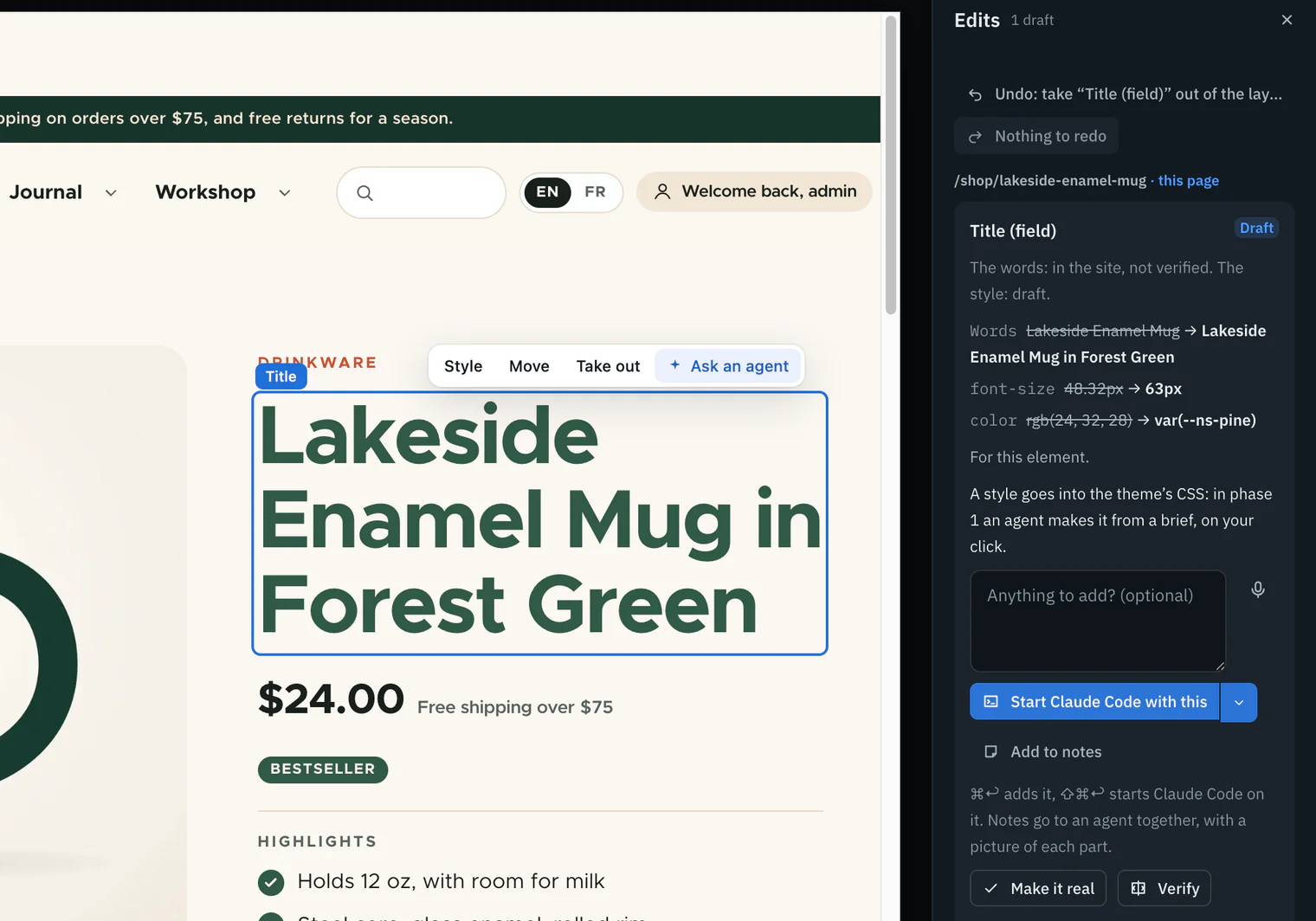
Verify it
Choose Verify to check that the site now renders it as designed. See Verify.

What each platform saves
These are the homes words go to in this build. Drupal and WordPress list everything each helper covers, and Site adapters the plugins.
| Words in… | Saved through | Revisions and checks |
|---|---|---|
| A text field | The field, in the translation and item the page showed | A new revision; workflow checked; never over a newer draft |
| Formatted text | One run of words spliced in, its markup kept | Only when the text format shows nothing else changed |
| A field’s label, a block’s title, the site’s name or slogan, a view’s header, footer or empty text | Configuration, validated as Drupal’s forms validate it | The next configuration import puts back what is exported, and Wanigan says so |
| A menu link’s text | The menu link’s title, as a field | The same checks as a field |
| A Layout Builder inline block | Its layout, as Layout Builder’s block form saves it | A layout every page of a kind shares says how many pages first |
| A paragraph (Paragraphs) | The page that holds it, as a new revision | Refused over a newer draft, an open Layout Paragraphs builder or an untranslated paragraph; a library item says how many pages first |
| A form (Webform) | Webform’s own API, in the form’s language or its translation | A default or options several forms share says how many forms first |
| Anything else the content keeps | The stored-words search, below | A new revision |
| Words in… | Saved through |
|---|---|
| A title, an excerpt or a string meta | Core’s REST API |
| The site’s title or tagline | Core’s REST API |
| A menu link’s text | Core’s REST API, its address sent back as it was |
| A block’s words (a paragraph, a heading, a navigation label) | Core’s REST API, as the HTML they are kept as |
| A category’s or tag’s name, where a menu or archive heading shows it | Core’s own term save, once it has said the name changes everywhere the term shows |
| Anything else the post keeps | The stored-words search, below |
On WordPress, each save through the REST API keeps a revision where WordPress keeps one.
Words shown beyond this page
Words that show beyond this page are not saved at first. Make it real says where they show, or how many pages or forms share them; make it real again to save them. For a template or part, a synced pattern, a menu, a widget or a setting, that second click counts for five minutes.
When the page offers nothing
Sometimes nothing the page offers to edit holds the words: a page builder, a shortcode or a contributed field keeps them. Then Wanigan looks where the content keeps them and saves there through core: on WordPress the post’s stored content, excerpt and custom fields (Elementor’s pages and ACF’s fields through their own saves); on Drupal any other field of the content the page showed, in that translation, as a new revision.
The words must be found exactly once, as words. Otherwise it says where they are (twice, only in an address or a class, made from a template such as %%title%%, or in the site’s settings) and saves nothing. Copies that never render, such as an SEO plugin’s mirror, are never saved into.
After the save
After a save through the stored-words search, the page reloads and Wanigan reads it back. If the page still shows the old words, the site has the new ones, but whatever renders them may keep its own copy, such as a builder’s cache.
The site helper keeps a way back for those saves for ten minutes, the only one for a custom field, which keeps no revision. This build’s Edits panel shows neither the read-back nor a button for that way back; its message says the words were saved, with the revision when there is one. Look at the reloaded page and run Verify. To restore the old words, use the site’s own editor; Edits still shows them as the old value.
Words a template writes
Both helpers read each template the page loaded (Drupal’s Twig, a WordPress theme’s PHP) without running it, and list the words typed into it and the strings it prints through a translation function, with file and line. Those words are code, so they go to an agent with the file and line. On WordPress a translated string goes too, with its text domain, so a translation file can change it; a parent theme’s template under an active child theme is to be copied into the child theme first, since a theme update would overwrite it. What PHP works out is never guessed at.
Look in its template
Where neither helper can say what writes words that nothing stores, Edits offers Look in its template… on that edit. It looks only in the template that rendered the element itself, never in one around it.
- Select the element on the page (P), then open Edits.
- Choose Look in its template…. The words must be in that file exactly once, or it says why it will not write.
- It warns that every page using the template changes, and that Verify compares this page only. Then choose Save to that file and line.
The save is listed in Notes › Saved by hand, with Put back, except while the layer holds the edit as in the site.
What a refusal means
When Make it real cannot save, it says why, and which kind of why. The two kinds call for different things.
| Kind | Examples | What to do |
|---|---|---|
| The site keeps no such thing. Core stores these words nowhere it can write. | Words written in a template; a menu link written in code; a base field’s label; words a Webform token or a computed element makes | Change the code: send it to an agent from Edits (the note carries why, and for a template its file and line), or change the template yourself |
| Wanigan does not do it yet. Core could save it; Wanigan does not, from here. | A Drupal interface translation (a template’s t() strings); a caption; words across formatting | Change it in the site’s own admin, or tell an agent |
Other refusals are about now: the content changed since the page loaded, a newer draft waits, several things hold the same words (each named), your user may not change it, or the site refused, in its own words. Reload, check, and try again.
In depth
The rules every save follows
- Words only, for one element: an edit made for every one of a kind is refused.
- Plain words only, at most 2,000 characters; longer ones go through the site’s own form.
- Only over the version the page showed; content saved since, or a newer draft, is refused.
- Validated as the site’s own form for that field would, plus the workflow, before and after the change; an old problem in a field the change does not touch is noted, not refused.
- Never a slug, a status, a choice, an address or a read-only value.
- Marked In the site only when the site says it saved; if the layer cannot record it, the answer says the words are in the site anyway.
- Just before the save, the page as it was is rendered and kept, for Verify’s third step.
Formatted words
On Drupal, one run of words inside one stored text node is spliced in byte for byte, and kept only when rendering the old and new text through the item’s own format differs in those words alone. Words a filter makes (a caption, a shortened address, a trimmed summary’s cut), words across tags or found twice, and a format your user may not use are refused, saying so.
On WordPress, a string its schema calls HTML is sent as HTML. Words with no tag inside are escaped, so a typed < stays a character. Between tags, the change must fall inside one run of text, and every tag and other run is kept byte for byte. A change across formatting goes to an agent.
Not checked yet: what CKEditor 5 does to a stored text the next time it opens it.
How the stored-words search works
The helpers answer POST /_wanigan/words. find only reads, and answers where the words are kept with a hash of the value. save finds them again, writes only that place and only over that hash, and answers 409 if the value changed in between.
- Words are compared as the page shows them (typographic quotes and dashes read as typed, whitespace folded), whole words only, found once as text: a string value, a text node, or an attribute that is not an address, class, id, style or script.
- JSON is read token by token and written back with the escapes it was written with; a saved list is written back only when it round-trips byte for byte.
- WordPress saves with
wp_update_post()(a revision) only when core’s filters would store exactly those bytes, orupdate_metadata_by_mid()for a custom field, as a user withedit_postand no live post lock. - Drupal saves through the Entity API as a new revision, over the revision the page showed, never into references, choices, addresses or a module’s own structures. A paragraph is left to the page that holds it.
- Each refusal names its cause: nowhere, more than once, only in code, made from a template, kept in the site’s settings, changed since, or refused by the site.
Words a plugin computes and never stores, and a builder’s own cache, are beyond it. A save’s undo token lives in the helper’s undo store for ten minutes, kept by edit behind live:layerUndo, which no control in this build’s window calls.